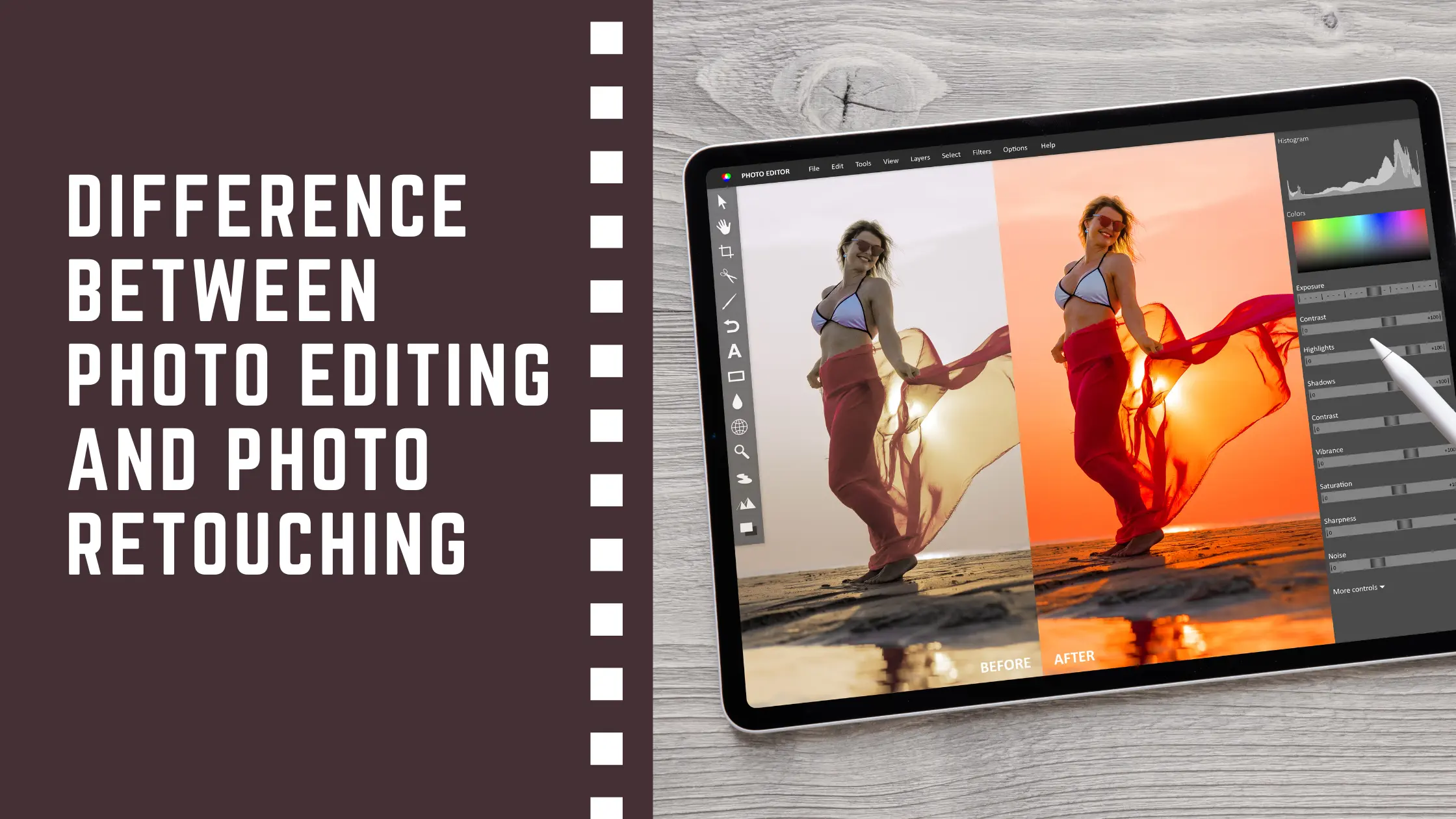
When you understand what is the difference between photo editing and retouching, creating high-quality images becomes easier. Editing improves the overall look, while retouching polishes fine details for accuracy.
Understanding Photo Editing
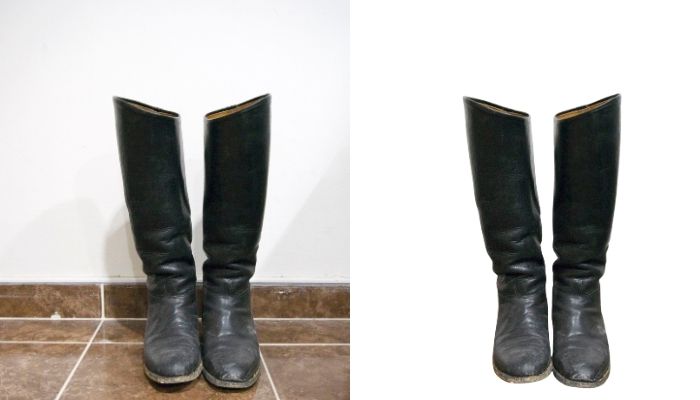
Photo editing enhances the full image by correcting light, color, contrast, sharpness, and framing. These changes create a cleaner, more accurate appearance. Editing software also supports creative color styles and can combine several shots when required for the project.
- Adjusts color correction
- Adds contrast and sharpness
- Improves crop and angle
- Allows changing the color style
- Supports combining multiple shots
Understanding Photo Retouching
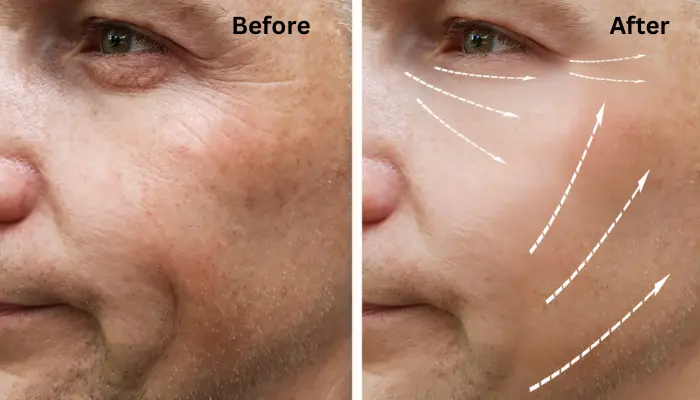
Photo retouching improves the small portion of any image that shapes the final appearance of a figure. It focuses on skin texture, tiny marks, uneven areas, and distracting elements. Retouching brings clarity to close-up features and helps the photo look neat and natural.
- Remove blemishes, marks, and spots
- Smooth skin while keeping natural texture
- Fix uneven tones or patches
- Clear small distracting objects
- Enhance fine textures and edges
These touch-ups help the photo look clean and distraction-free. Retouching gives the image a refined finish that editing alone cannot achieve, making every detail appear neat and well-balanced.
Comparison Table – Photo Editing vs. Photo Retouching
| Area | Photo Editing | Photo Retouching |
| Main Focus | The overall image looks | Specific visual details |
| Light | Fixes exposure | Improves light on small spots |
| Color | Adjusts the full image color | Fixes tiny color patches |
| Details | Sharpens key areas | Enhances fine textures |
| Skin Work | Basic clean-up | Smooths and refines skin |
| Object Fixing | Minor correction | Removes unwanted objects |
| Goal | Build the base look | Add final polish |
What Makes a Photo Look More Visible and Accurate
A photo becomes more visible and accurate when its light, color, and details are adjusted with care. Editing helps set the right brightness, white balance, and clarity. Retouching then fixes the small flaws that distract the viewer. Together, they help the image look clear, genuine, and easy to understand.
- Correct light for clear viewing
- Proper color balance
- Smooth and even tones
- Clean textures without marks
- Sharp details in important areas
- No distracting objects in the frame
When these parts work together, the photo looks natural and well-shaped. Both editing and retouching play a role in making the final image accurate and visually appealing.
When to Choose Editing, Retouching, or Both
Different images need different levels of work. Some wedding photos only need editing to fix light, color temperature, and frame. Other photos need retouching to remove marks or improve small details. In many cases, using both steps gives the best result.
When Editing Is Enough
- Light and color are slightly off
- The frame needs cropping
- The image only needs basic clean-up
- No close-up details require correction
When Retouching Is Associated
- There are marks or blemishes
- Skin looks uneven
- Small objects need removal
- Fine textures need improvement
When Both Work Best
- Portraits with visible skin issues
- Product photos that require clean detail
- Culling the images for print or professional use
- Any photo that needs full visual balance
Choosing the right step depends on how the image looks and what the final image requires. Editing shapes the main look, and retouching adds clean parts, giving the photo a complete and polished finish.
FAQ of the difference between photo editing and retouching
What is the key difference between photo editing vs retouching?
Photo editing improves the overall look of an image light, color, contrast adjustment, clarity, and composition. Retouching, when it comes to focusing on small details such as skin texture, blemishes, tiny distractions, and fine corrections that require precision.
Is retouching considered part of photo editing or a separate process?
Retouching is related to editing but treated as a more advanced and separate process. Editing builds the base look, while retouching adds the final polish that editing alone cannot achieve.
Which one takes more time: photo editing or photo retouching?
Retouching typically takes more time because it involves detailed work removing marks, fixing skin, smoothing textures, and correcting small mistakes.
Do all photos need retouching, or is basic editing enough?
Not all photos need retouching. Many images only require editing to correct light, color, and composition. Retouching is needed when visible imperfections or close-up details need correction.
What types of imperfections are usually fixed during photo retouching?
Retouching usually removes blemishes, spots, marks, uneven tones, small distracting objects, and imperfect textures. It also smooths skin while keeping a natural appearance.
Can photo editing improve image quality without retouching?
Yes. Editing alone can significantly improve image quality by adjusting brightness, color, contrast, sharpness, and cropping. Retouching is only needed when finer detail work is required.
Which professionals need retouching the most: photographers, e-commerce brands, or social media creators?
Photographers, e-commerce brands, and social media creators all use retouching, but those working with portraits, products, or close-up visuals rely on it the most because detailed perfection is crucial.
Final Thoughts
Knowing what the difference between photo editing and retouching is helps you pick the right step for any image. Editing and photo retouching set the light, color, and crop. Retouching clears marks and fixes small areas. When both are used, the photo looks clean, steady, and ready for use in many photo styles where clear light and smooth detail help show the image well.