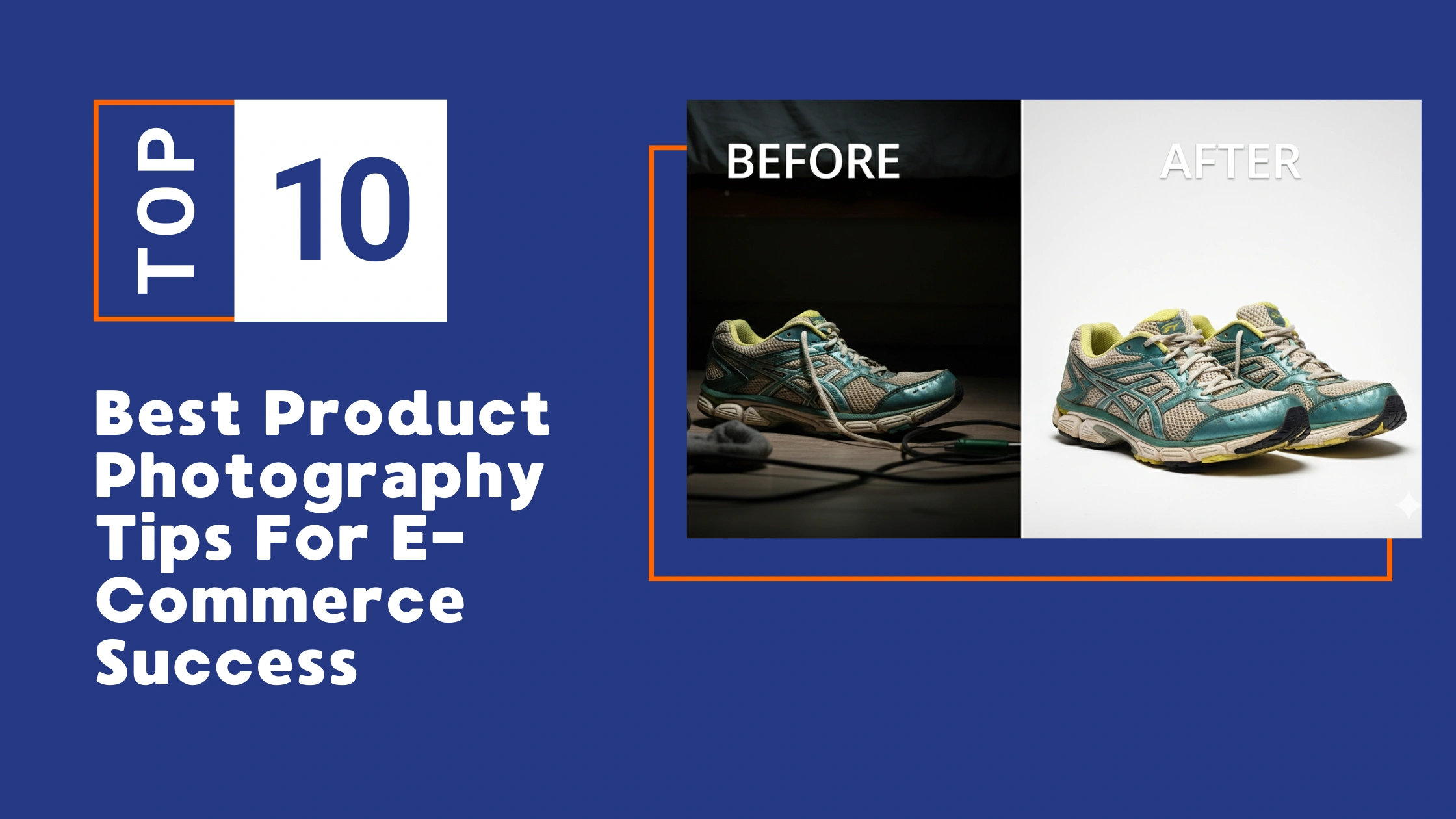
Effective visuals define your brand online. Besides product image, do heavy lifting for both showcasing eyecating catalog and selling.
In this article, I am going to share some essential product photography tips that you can use to produce clean, consistent images that build credibility. Thus, attract customers and significantly boost your e-commerce conversion rates.
1. Ensure Smart Use of the Right Photography Gadget

You don’t need the most expensive camera, but you need sharp and clear images.
- Instead of the most expensive camera, focus on taking sharp and clear photos.
- If possible, use a DSLR or mirrorless camera with a $50mm or macro lens.
- Always use a tripod to avoid image blur and keep the framing consistent in each shot.
- Always shoot in RAW format to have the best control over color and lighting during editing.
- A tripod ensures that each product image is at the same angle and position, which brings consistency to the catalog.
Clarity of e-commerce product photos is everything. Customers want to see textures, materials, and other things, so your images must remain sharp and accurate.
So, even an affordable photography setup with entry-level camera with a quality lens can produce impressive results.
Now, always shooting in RAW gives you full flexibility to correct exposure, adjust colors, and enhance features during editing without lowering quality.
Pro Tip
You could prioritize the following options:
- A good lens > an expensive camera body
- A tripod > handheld shooting
- RAW format > JPEG for editing control
2. Master Utilizing Lighting Sources
Lack of light and no light, often the main obstacles to a well-exposed photo. Especially when you’re doing indoor photography, most beginners tend to look for solutions in artificial lighting, thereby ignoring natural light. But shooting a great product requires proper light.
To get the best results, try to utilize the sunlight through the window. Besides, you can use the light directions, shoot in aperture priority mode, a light-catching backdrop, and a reflector the get the best out of natural light.
On the other hand, you can you indoor lighting setups to control your product’s looks, accurate colors, and the feel of each professional image. Soft, diffused lighting reveals everything and prevents harsh shadows from distracting the viewer.
When you keep the lighting setup across every shoot, your catalog appears cohesive, polished, and on target with the visual standard your brand promises.
- Use soft, diffused light (softbox, light tent, or window light).
- Avoid harsh direct light and strong shadows.
- Keep products in the best light.
Pro Tip
Place products near a bright window, diffuse the light source, and use a white reflector to soften remaining shadows.
3. Choose Clean, Consistent Backgrounds
Choose a background for your products that is either completely clean or neutral—like white, gray, or a light color. This technique ensures that the customer’s eyes are directly on the product, and not anywhere else. It gives your brand a premium and clean look.
Using the same background for all of your store’s images gives your catalog a cohesive and attractive look. It creates an easy experience for shoppers, where they can easily compare different products and trust the quality of your store.
Benefits
- Helps customers focus on the product shots without distractions
- Creates a professional, unified brand appearance
- Enhances clarity and makes your product features easier to see
How to Apply It
- Use neutral backgrounds like white, beige, or light gray for primary images
- Keep the same style and tone across a professional-looking product catalog
- Reserve textured or themed backgrounds only for lifestyle or promotional shots
Pro Tip
Use a simple sweep backdrop to remove harsh horizon lines and create a seamless, polished look.
4. Style With Purpose
Your buyers can’t see or touch your product before they go to buy it. Therefore, high-quality images are the only way for them to understand the product better.
Using elements like herbs, stones, trays, fabrics, or ingredients helps show your product’s theme, purpose, and category. Varying heights and choosing the right camera angle create depth and keep the viewer focused on the main item.
When customers get this detailed description of the product, it becomes much easier for them to make a purchasing decision and increases their trust in your brand.
Do This
- Pair skincare items with fresh herbs, citrus slices, smooth stones, or water droplets for a clean, natural look
- Use wooden trays, ceramic plates, books, or folded fabrics to add height differences
- Shoot at 45° for grouped arrangements, top-down for flat lays, and front-facing for tall products
Avoid This
- Using items in the best and don’t match the product type
- Keeping everything at the same height, which makes the setup look flat
Pro Tip
Build subtle height layers so the professional product remains centered and visually dominant.
5. Use the Right Camera Settings
Sharp and detailed images directly help increase your online sales. When every detail of the image is clear to the customer, it is easier for them to make a decision to buy the product.
To ensure this professional quality, you need to pay attention to some basic camera settings. The aperture is usually set between f/8 and f/11 to maintain the depth or sharpness of the image.
This setting ensures that the entire object from the front to the back of the product is in focus and no part is blurred. In addition, the ISO value should always be kept low to maintain good image quality.
Finally, it is essential to set the white balance correctly to show the colors of the product as they really are, so that the white background doesn’t change to another color (like yellow or blue).
- Aperture: f/8–f/11
- ISO: 100–200
- Shutter speed: 1/100–1/200
- Set white balance correctly for accurate colors.
Why Proper Camera Settings Matter in E-commerce Success
Your camera settings determine how accurately your product is captured. Using a narrower aperture (f/8–f/11) keeps the entire item sharp, while a low ISO keeps your image clean and free of grain. A stable shutter speed prevents motion blur and ensures your product looks crisp.
For online buyers who depend entirely on visuals, these technical adjustments make your images appear professional, reliable, and true to life.
Recommended Base Adjustments
To support these camera settings, here is a simple set of post-processing adjustments that work beautifully for stunning e-commerce product photography:
- Exposure: –0.28
- Contrast: –24
- Highlights: +13
- Shadows: –16
- Whites: +7
- Blacks: +8
These values help create a balanced, clean, and polished tone. They slightly reduce harsh contrast, recover details in bright areas, deepen shadow separation, and bring out high-quality product photos ideal for e-commerce listings.
Pro Tip
Use this combination as a starting point, then adjust slightly based on the color, material, and texture of your product. Quality in editing is just as important as consistency in camera settings.
6. Keep Angles & Framing Consistent
When your framing and angles are consistent throughout your catalog, it creates a strong positive impression in the mind of the buyer. When the perspective, size, and distance of the product are the same in every image, your brand’s presentation instantly feels organized and credible to the customer.
Besides, you can create unconventional and unique view of a product, as i show in ghost mannequin photography tutorial.
This clarity quickly draws the buyer’s eye to the product, prevents them from wandering off, and ensures a high-quality online shopping experience. This professional quality directly builds trust in the customer, which ultimately helps increase sales. Strategic Consistency Online shoppers rely solely on images to judge the quality of a product.
So, adopt these strategies to make each of your images look objectively the same:
- Choose the angle that best represents your product (e.g., front, 45° angle, or from above) and use that for all shots.
- Keep the distance and aspect ratio consistent. Use the same shooting distance, same cropping, and same aspect ratio (such as 1:1 or 4:5) in every photo.
- Always arrange the product the same way: Align the product with the camera in the same way in every shot.
Visual Consistency
Using the same angles and framing throughout your store makes your catalog look organized and professional. Inconsistency in angles can undermine customer trust; consistency gives your brand a premium look.
Branding Impact
Maintaining a signature angle, backdrop, etc (such as a 45° angle), strengthens your brand identity across all platforms.
Catalog Cohesion
Consistent framing improves user experience, streamlines catalogs, and keeps shoppers engaged for longer, increasing the likelihood of sales.
Show Multiple Angles & Details
Online shoppers rely solely on images, so it’s important to present your product accurately to avoid any confusion.
1. Showcase all the details and quality:
Let the buyer see the texture, materials, and functionality of the product to get a good idea of what it’s like in real life.
- Take a variety of shots: Front, back, side, top, and close-up images. If possible, add short videos or GIFs to show the product in action.
- Trustworthiness: A few clear angles build trust by showing the product’s structure and quality. This reduces buyer hesitation.
2. Clarify size and physical condition
The biggest problem with online shopping is not being able to guess exactly how big or small the product is. To avoid this misunderstanding:
- Usage images: Provide images that show how the product feels in the hand, looks on the table, or looks like it’s worn. When buyers understand how the item will fit into their daily lives, they don’t hesitate to buy.
- Assumption Elimination: By showing pictures of size and usage, you help the buyer visualize owning the product, which builds confidence and makes the purchase decision more accurate.
3. Easy-to-implement techniques
You can use the following methods to bring this clarity:
Place familiar objects next to it: Place everyday objects like a hand, a mobile phone, or a notebook next to the product. This gives an immediate idea of size.
1. Add size graphics: Include a simple, clear size chart (length, width, height) for items like bags in the image.
2. Show the product in use: Take photos that show how the product is being used—like a bag slung over your shoulder or a cream held in your hand. This brings the imagination to life and increases the buyer’s interest.
Edit Professionally & Maintain Color Accuracy

Editing determines how trustworthy and accurate your product appears. Customers make assumptions based on clarity, quality, brightness, and color precision. If your product photos look dull, inconsistent, or discolored, buyers immediately stop using the product.
Editing is essential for polished images.
- Use Photoshop, Lightroom, or similar tools.
- Ensure colors match the real product.
- Remove product image background.
- Keep consistent edits across your catalog.
How Post Production Influences Purchasing Decisions
Professional editing creates clear and balanced images for your products, which show the product as it really is. There are some other photo editing technique are common for ecommerce product photos.
Color correction is helpful, when the colors in the product need to match the real thing. Besides, the texture of the product looks sharper, and the background is clear, buyers have more confidence to buy the item. Photo retouching can aid you to make image flowless.
This clarity and honesty in the image increases customer satisfaction, reduces product returns, and ultimately helps you increase your sales.
Pro Recommendation
Use consistent editing settings to create a unified, professional look that builds trust and strengthens your brand.
Optimize Images for Web & SEO
Your best images need to be specifically designed to load quickly and appear in search results. For this, images must be technically prepared for online platforms. Photograph your products so must they load fast and support search visibility.
- Compress and resize images for the web.
- Name files descriptively with keywords.
- Add alt text for SEO.
- Follow platform-specific image guidelines.
Shoppers leave a site if images are slow to load; even a one-second delay can significantly reduce conversions. High-resolution images that are not optimized slow down the entire website, resulting in a poor user experience and reduced sales.
If you follow these rules, your products will be displayed correctly everywhere.
- File Size: Reduce your large RAW or JPEG files to a small web-friendly version (usually under 200–300 KB).
- Dimensions: Create images that are the right size for your platform (e.g., Shopify 2048×2048px, Amazon 1000×1000px minimum).
- File Name: Use clear, descriptive, and keyword-rich names (e.g., organic-face-serum-front.jpg).
- Alt Text: Write accurate alt descriptions for search engines that provide clear information about the product.
- Format: Use JPEG for general images, PNG for clarity, and WebP for fast loading.
Frequently Asked Questions Asked By Beginner Product Photographers
What equipment do I need for effective product photography?
You don’t need the most expensive camera. A DSLR or mirrorless camera with a $50mm or macro lens will do just fine. Always use a tripod to avoid blur and keep your framing accurate. Shoot in RAW format for better editing and perfect photos.
Why is consistent lighting so important in ecommerce photography?
Controlling the light affects how your product looks and how accurate its colors are. Using soft, diffused light reduces harsh shadows or distractions. When you use the same type of light for all products, your catalog looks cohesive, organized, and consistent with your brand values.
What type of background works best for product photos?
Clean, neutral backgrounds like white, beige, or light gray work best for primary images. They remove distractions and keep attention on the product. Using the same background style across your catalog creates a professional, unified appearance and create stunning product features easier to see.
How can I style products without distracting from the main item?
Use props that fit the theme and purpose of the product. For example, you can use herbs, rocks, or water droplets next to skincare products. Vary the height of the image with trays, books, or cloths, and choose specific angles, from above or in front. Avoid irrelevant objects and flat decorations that are the same height.
What camera settings are recommended for sharp e-commerce photos?
Use aperture f/8–f/11 to keep the high-quality product photography, ISO 100–200 to avoid grain, and shutter speed around 1/100–1/200 to prevent blur. Set white balance correctly for accurate colors. These settings help create clean, detailed images that feel professional and trustworthy.
Why should I show multiple angles and the real-life context of a product?
Customers can’t touch or hold the excellent product information online, so photos must tell the full story. Showing front, back, side, top, and close-ups reduces uncertainty. Including scale objects, dimension graphics, and lifestyle usage helps buyers understand size, function, and fit in real life, boosting confidence and conversions.
How do editing and web optimization affect conversions?
Editing ensures that the colors of your photos match the actual product, the background is clear, and the images look bright and balanced. Web optimization, such as compressing files, resizing them, using keyword-rich names, and adding alt text, helps your pages load faster and rank better in search engines. Together, these steps build trust, reduce bounce rates, and increase sales.
Conclusion
Product photography is a science. Think of your shooting setup as a laboratory where the lighting, camera settings, and framing will always produce the same results.
Get into the habit of shooting the same type of product every day to maintain consistent lighting, shadows, and colors. This rigorous practice will speed up your work and build trust with your clients.